
When I find walls of text that I need to go through, I use a text to speech software and listen to it while working on other things. Today I was experimenting with Windows 7 Speech Recognition software and wondered if there was a good text to speech software that could help me make mp3 files from important text files. Infact I wanted something that could make mp3’s from a few ebook’s I had. The software below not only does that but also adds many more features you wouldnt normally find.
Vocatalk is a text to speech software that can convert any text into mp3 files or podcasts. It can also rip CD’s while adjusting the music levels. HTML pages or ebooks can be pasted directly into the software. The software can automatically split long text like ebooks into hour long mp3 automatically.
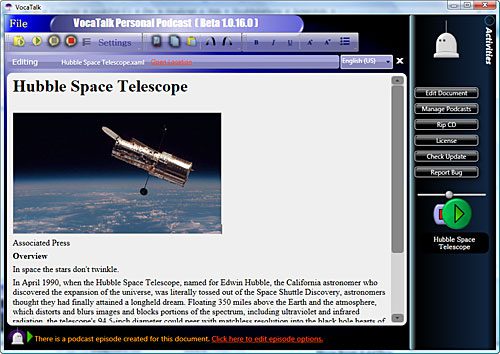
You can also add music and sound effects into the music the speech files to help with relaxation. The software supports binaural audio beats, which help you to relax. This is a very unique feature, it helps your brain to absorb more information from what you hear.
The podcasts made by Vocatalk supports Albums Art embedded into the MP3 files. The podcasts can then be uploaded to iTunes or Zune.
It supports Microsoft’s Anna voice but other 5.1 voices are supported as well. Installed voices can be chosen randomly to avoid boredom and voice modulation gives even more voice options. Lots of options and features, this has got to be one if not the best text to speech software out there. You can go to Vocamedia for a free beta key.
Download Vocatalk




a great mP3 software!
and your article is nice