
 Have you ever noticed that pictures you have taken, have different colours when you print them. You might also notice this when viewing the same picture on another computer. This is because each monitor has a different colour profile. Professionals usually use expensive hardware to have their monitor colours calibrated. This is not viable for home users who would like to get the correct colours displayed on their home computers.
QuickGamma is a small utility program to calibrate a monitor on the fly. Windows applies its own Gamma correction but with this monitor colour calibration software you can have more control over it. A monitor gamma of 2.2 is the standard but many monitors do not support this gamma range. Hence some correction has to be applied in order to correct the colours on the screen.
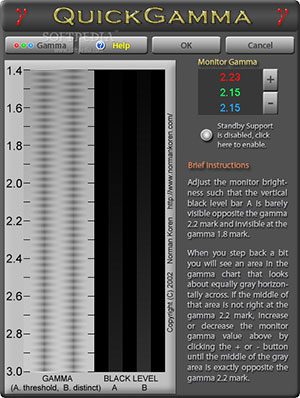
Monitor manufacturers have been storing information that can be read by graphic cards drivers using DDC interface. QuickMonitorProfile can make use of the stored phosphor chromaticity data and create a monitor profile perfectly suited for the connected monitor without the need for expensive equipment.




Flutech is a Specialty leader and Expert in Calibration and Services, in the field of Torque, Pressure and Temperature.