
 Windows Live SkyDrive is part of Microsoft’s Windows Live family that allows you to store and share files online. We had mentioned Skydrive 2 years ago when it offered only 1GB of online storage. Today Skydrive gives you 25 GB of storage absolutely free of cost.
Files stored on Skydrive can be made public or shared with other Windows Live users. You can also use the service to host images or other files. The maximum file size supported is 50MB and files can be arranged into folders with description for each. The main drawback for this service is the inability to use a software to upload files. The only way to do it from their website is by using a simple uploader that can handle only a few files at a time.
Skydrive does not support FTP ! Yes, I know the title said FTP but the method below is the closest we can get to FTP. We had written about Gladinet software which creates a virtual drive on your Windows desktop. They seem to have gone the commercial way. So here is another software that can help you.
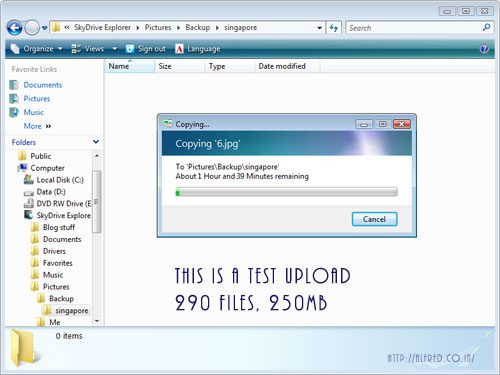
SkyDrive Explorer is a free, easy-to-use, and powerful extension for Windows Explorer that allows you to manage your files on Windows Live Skydrive, like they were in your computers hard disk.
Just install the 1MB software and you will see a Skydrive Explorer icon in My Computer. Click this icon and login to your Live ID to start using the service.
Browsing the contents on Skydrive is just like opening folders with explorer. You can also create folders and copy paste multiple files.




Looks like skydrive is really neat when it comes to backing up files. Nice going Microsoft!
my name is jasmin patel from – gujarat and my vark computer oppreter
SMEStorage.com lets you access our SKyDrive and LIve mesh files from a virtual drive on Windows, Mac and Linux, and has just released iSMEStorage for the iPhone which enables you to access and manage your SkyDrive and Live Mesh files directly from the iPhone.
Is there any portable version of SkyDrive Explorer?
Why say “FTP” in the headline… just to show it does *NOT* support FTP at all.