
So, I got a request to rip some DVD’s which had copy protection on them so couldnt be directly copied. This tutorial will show you how to rip a DVD in a file or be copied to another blank DVD. This post is divided into 3 sections.
- Ripping to another DVD
- Ripping to a file on hard disk
- Ripping Dual Layer DVD into Single Layer DVD
How To Rip a DVD to another disk
To do this we are going to use a very popular and free software called DVD Decrypter which can bypass most of the common region code and macrovision protection on DVD’s. Download DVD Decypter
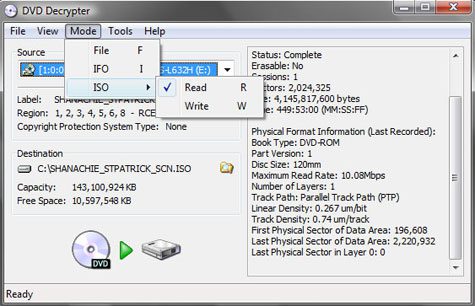
Install the program and run it. You should see a screen similar to the one shown below. Click on Mode from the menu and choose ISO > Write. Choose a location to save the file and click the decrypt button. This should start the decryption process.
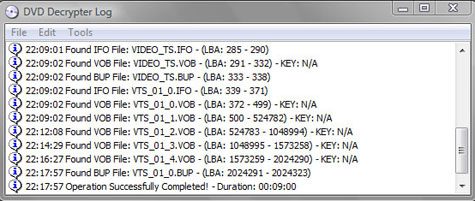
Now that we have a saved .ISO file we can use DVD Decrypter to write the image onto a DVD.
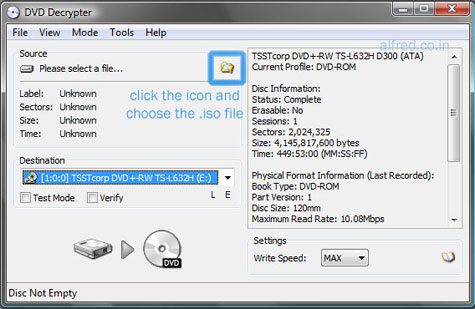
Again go to Mode > ISO > Write. Choose the .iso file that was saved in the earlier process, insert a blank DVD into your computers drive and press the write button. You can optionally choose a write speed (Try to set it low around 2x to 4x). This will create a copy of the original DVD.
How To Rip DVD to a video file
To do this we will use DVD Decrypter and HandBrake
Run DVD Decrypter and from the menu choose Mode > File. Usually for a DVD movie the longest program chain is what we need and is automatically detected. Click the Decrypt button.
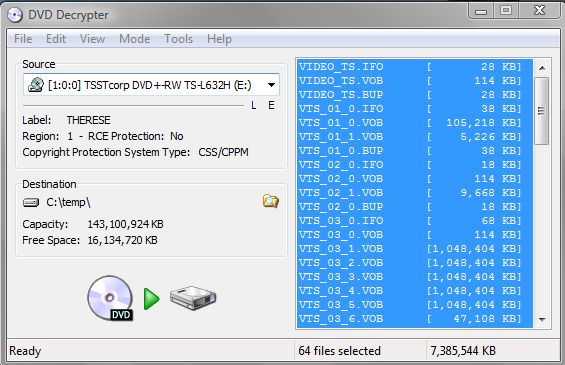
Now run Handbrake so that we can convert the files into a single video file. Click the Source button and choose DVD/VIDEO_TS option. Browse to the directory where the files are saved. Now choose the longest program chain (title) and select the location of the destination file.
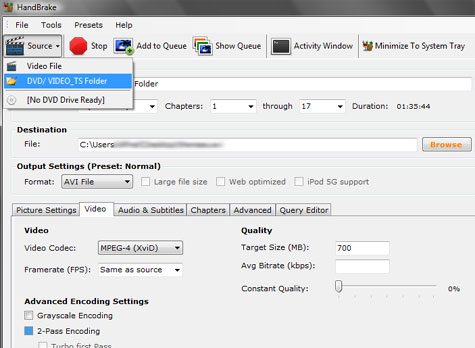
Under Video options, format choose AVI or MP4 (iPod). If you are saving a movie you could sex size limitation at 700MB. I will not go into detail on the settings here. You can find all the information you need on settings at Best Settings for Handbrake. Click the Start button and go get a coffee while it saves the file for you.
How to copy a Dual Layer DVD to a Single Layer 4.7GB DVD
Follow the steps above ( Use DVD Decrypter > Mode > File) but do not use Handbrake. We will use DVD Shrink to compress the 7-8 GB files into 4.7GB so that they can be written on a normal DVD. You can download DVD Shrink from AfterDawn forums.
Install and open DVD Shrink. Click on Open Files and choose the location where you had saved the files using DVD Decrypter. DVD Shrink will take a few moments to analyze the contents.
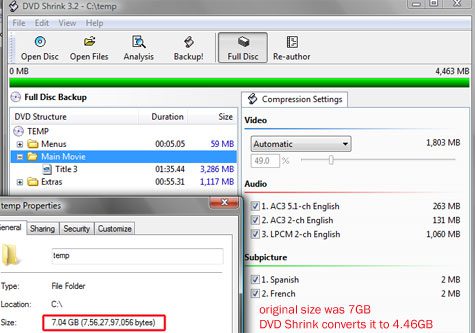
As long as the green bar below the menu buttons in DVD shrink stays green and the size is below 4.7 GB everything should be fine. Click the Backup button to bring up the menu.
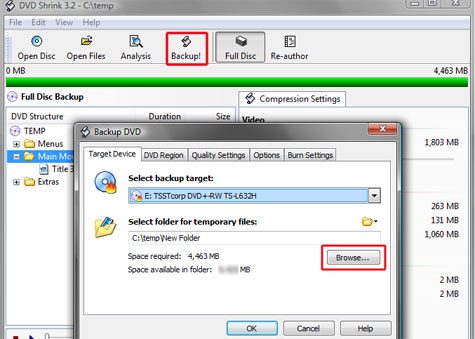
Insert a blank DVD into your drive, in the select backup target you have options to save the files on hard disk or write them to a DVD if you have Nero installed. Choose a folder for DVD Shrink to store the new files. Click OK.
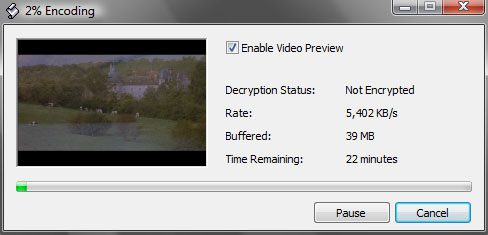
The software should begin the encoding process after this completes it will start burning the disk using Nero if the option was selected.
(Optional) If you had choose the save to hard disk option you can write these files to a DVD at a later time. Just ensure that the DVD has 2 folder VIDEO_TS and AUDIO_TS. Paste all the files in the video_ts folder and burn them.
Hope you guys found this useful. There are some paid programs that make this process simpler but this is the basic way and I’ve been doing this for many years. If you know an easier way, do share your knowledge with us by leaving a comment.
Download DVD Decrypter, Handbrake, DVD Shrink




hey thanks for the article, its very useful for me.
.-= Dvd Burning Software´s last blog ..DVD Burning Software – Tips For Finding The Best DVD Burning Software =-.
Thanks for the guides. now i can actually rip the dvd’s I got from my blog. http://freexboxlive1600points.blogspot.com/
You can do a more crude job with mplayer. Of course the quality is sacrificed but it is easier. Check
.-= oneofthenumber´s last blog ..The Power of Mplayer =-.
Aimersoft DVD Ripper is the most powerful one that I have used before. It has great power to rip DVD to video of all formats. You can free download here:
http://freedvdripper.org/dvdvideoconverter/dvd-ripper-aimersoft.html
wow that a really cool guide, thanks mate
How to rip dvd on mac?here is a step.
For mac,how to convert dvd to the format what you need?you can use mac dvd ripper to help you.
oh, cool staff. Thanks for sharing
Great post! the only problem with handbrake is that it cant convert copy-protected DVDs, we have to use some other tools first to decrypt the protection. Any all-in-one tools out there would be great. avi to ipad