
 With Airtel and Aircel introducing their unlimited GRPS plans, Vodafone has been forced to give out a similar plan to save customers from shifting to other networks.
Previously they had Vodafone Live (10p/10kb) and Vodafone Mobile Connect (199 rental with 10p/10kb). They also did not allow Windows Mobile handsets to be used with Vodafone Live, forcing users to cough up the Rs 199 rental. We found a way to bypass this restriction, instructions for the same can be found on Vodafone Live GPRS Settings for Windows Mobile Phones post.
Currently there is a one month unlimited GPRS plans has a fair usage policy of 2GB. This means after 2GB you will be charged at 10paise for every 10KB of data used. They also have a smaller plan which lasts for 3 days.
Vodafone Unlimited GPRS Activation
In order to activate the unlimited GRPS plan, send BONUS 95 to 144.
For the 3 day plan, send BONUS 14 to 144.
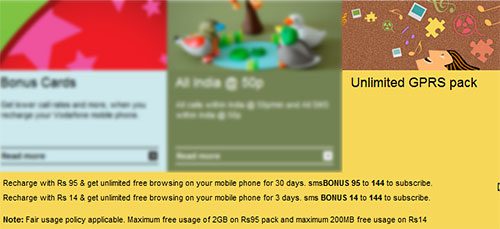
This is the official information that can be found by digging deep into the Vodafone’s website. The text messages do not seem to work and after multiple calls to customer service and clarifications, we learnt that the only way to get this plan activated is by visiting your local dealer and asking to to recharge a bonus for Rs95. It takes 24 hours for the plan to be activated on the phone, so be patient. Windows Mobile users can check the post mentioned above to get the plan to work; since it uses the same GPRS settings as Vodafone Live.




Nice.. any idea does this apply to the iphone package too?? cause they did the same thing for Iphone where u had to subscribe to the iphone gprs package.
If you know how to manually set the gprs settings, then it shouldnt be a problem cause their system is not looking at the handset being used…atleast that’s been the case for me.
If you know how to manually set the gprs settings, then it shouldnt be a problem cause their system is not looking at the handset being used…atleast that’s been the case for me.
+1