

Photoshop as we all know it, is one of the best photo editing software there is. Infact it actually costs quite a bit too. GIMP is an opensource alternative to Photoshop that is used widely by users who just need a photo editor to do basic photo manipulation.
What if you have to use a computer that does not have one of these photo editors installed ? Your best bet is to use an online photo editor and the best one we have seen so far is Aviary.
Aviary is a free online photo editor and manipulator that can run directly from your browser. No software to download or install. Just do a quick sign up and be on your way.
Aviary is actually a suite of applications, Pheonix being the photo editor. There are also color, vector, effects and audio editors along with an image markup application.
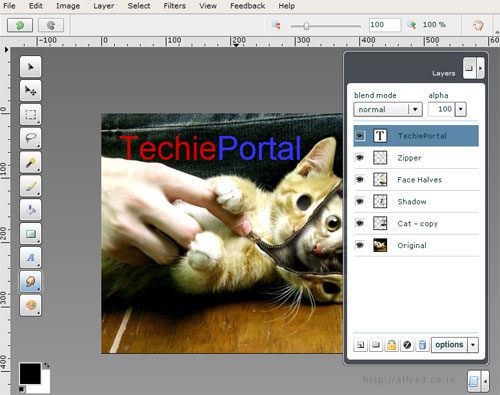
The Pheonix photo editor is quite easy to use, if you have a basic idea of image editors and know about layers. If not, there is nothing to worry about, Aviary has many video tutorials that can run you through the basics. Phoenix can handle complex effects that are usually produced only by high end photo editing software.
Photos can be imported from sharing networks like FlickR, Facebook and Picasa. There is a community that shares the creations made using Aviary.
If you are looking at adding quick one click effects to your photos try FlauntR.
Try Aviary Online Photo Editor




If you want more customization in photo editing, enhancement and effects and also want to load photo from facebook profile and photos of friends, then try this site : Onlinephotomashup