
 We had written an article on how to Compress Video taken by Camera into small size with VirtualDub, now lets look at a free alternative from Microsoft that can also encode video in different formats.
Windows Media Encoder is a free encoder that allows you to convert video. It can also capture and stream live video. A number of audio and video codecs are supported. It also supports two-pass encoding and VBR to improve the quality.
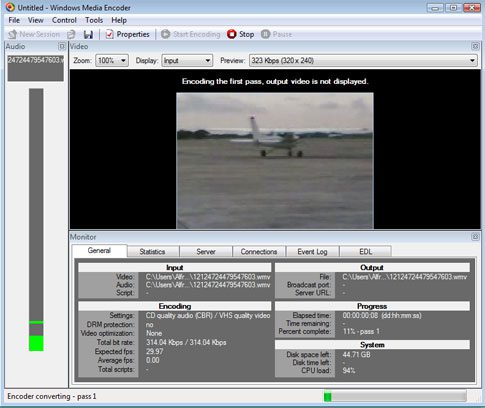
The installation file is 9.5MB and available for download from Microsoft. Installation takes just a minute or two and the program is quite simple to use.
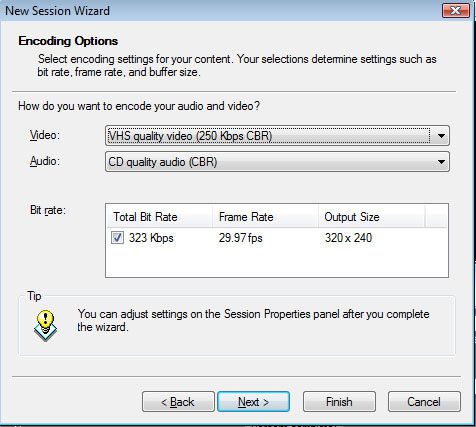
Just choose the file to encode, choose output location. Next select how you would like the to distribute your content. Finally choose the encoding settings of your choice. (You can choose different options and see the output size and bitrate) Remember the lower the bitrate, smaller the file and lesser clarity and vice versa for high bitrate.
If you would like a portable encoder check out our VirtualDub Guide.
Download Windows Media Encoder.




Great idea.
thanx for sharing the information. I will surely going to use this.
I like virtualdub but I find it difficult at times. It’s tedious and downright fails on me most of the time. This one from Microsoft looks promising. I am goign to check it out and hope it works good for me.
Looks good. What I have been using is kind of glitchy, so im going to have to try it out.