
 With the amount of space available on the iPhone, it would have made an ideal storage device. Let us show you how you can store files on you iPhone using a wifi connection.
Discover is a free file sharing app that lets you move files between your computer and iPhone as long as they are on a Wifi network.
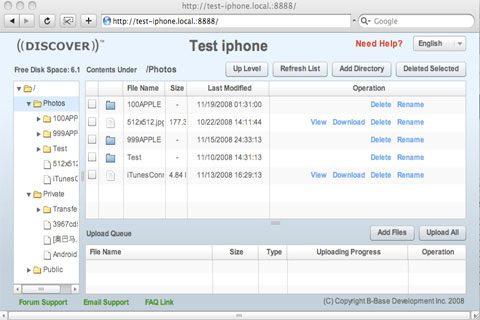
Using a browser’s inbuilt file management system it allows you to view, copy, move files between devices. It also allows you to share files with other iPhone users who are on a same network.
Discover has a multi format file viewer that allows you to view photos, videos, audio files and documents. It is available for Windows and MAC.




I found this blog really very interesting
Thanks for the help. I think I’ve got it all set up on my new iPhone. I’ll let you know how I like it.
i really enjoying your post,keep going man!
Thanks for the help.I’ll configure my iPhone as storage device as you described above.I’ll let you know if it will work.
.-= 4inkjets coupon code´s last blog ..Special offer =-.
Valuable thoughts and advices. I read your topic with great interest.
Wow nice post. I found this blog really very interesting.
Thank for sharing