
 Those who use a laptop will know how annoying it is when you are typing on the keyboard and suddenly realise that the touchpad activated and clicked somewhere. I spend half my day on the laptop and at a point, was so annoyed with the touchpad that I started using an external keyboard. Anyways here is an easier way to disable the laptop touchpad in windows.
TouchFreeze is a freeware for Windows that disables the Touchpad when you are typing. It comes in a tiny 251 KB installation file. Install it and TouchFreeze will sit in your system tray working silently for you.
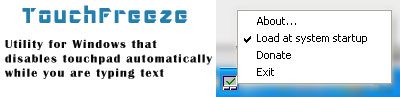
There are no settings to change. It startup with Windows and every time you type something, it will disable the touchpad for you. It will also automatically activate the touchpad when you finish typing.
Linux users also have a similar program called TouchFreeze, that does the same thing. Download for Linux. So, all of you out there using laptops, this is a must have !
Download TouchFreeze (windows)




