
EjectUSB – One click USB ejector


Every time I have to stop the external USB hard disk I use, it just gives an error in Windows that the disk is in use and cannot be ejected. Windows does not provide any info on which program is using the disk, leaving me clueless on which program to close.

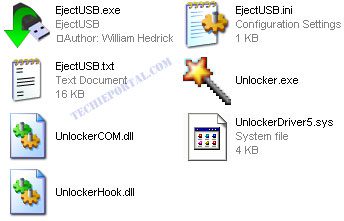
ejectusbEjectUSB is a USB ejection tool which closes all programs and files running from the USB disk. The program then attempts to eject the USB safely. It also clears the file cache, closes any open explorer windows, removes registry entries and Recent Document shortcuts referencing the specified drive or folder.
ejectusb

You can watch a flash video of this program here. The program is very compact (254 KB) , just and exe file and a ini file to store the settings. It can be placed on the USB stick and is recommended if you use Portable Apps. The only thing I felt lacking was a GUI. For more info on this program be sure to read the readme file included in the download.

Download EjectUSB

This post is about usb ejector,usbejector,eject usb exe,one click eject,usb in use which program,usb ejecter,usb eject timer software,usb eject attempt,usb eject,one click usb ejector,one click usb eject,eject hardisk with one click,eject click software download,download one click usb driver ejector softwares,alfred eject hard drives.

Related posts:

  1. Simple File Shredder – Delete files so they cant be recovered
  2. Windows SteadyState – Let no one change the settings on your computer
  3. Tune Up Utilities 2011 review
  4. Open ISO file – How to
  5. Recover files from scratched disks – CD or DVD


Discover and Share Take a moment to share this post on social networking sites !
The Author
Alfred is a Pilot & Tech blogger from Bangalore, India. He has worked with DSL providers like AOL, SBC, Verizon & Covad as a tech specialist. Currently he is pursuing a career in aviation.
View other post by


Did you enjoy this post? Why not leave a comment below and continue the conversation, or subscribe to my feed and get articles like this delivered automatically each day to your feed reader. If you don't have a feed reader, you can always have these articles delivered to your email inbox every day. Click here to sign up.

Trackbacks & Pingbacks

[...] viaSHARETHIS.addEntry({ title: “Problems Ejecting USB Drive ??? Use EjectUSB”, url: “http://www.thewindowsfix.com/problems-ejecting-usb-drive-use-ejectusb/” }); [...]


Comments

I do have this problem quite often. I have had my system lock-up when I don’t properly eject my USB devices. Great find.

Leave a comment

(required)

(required)


Line and paragraph breaks automatic, e-mail address never displayed, HTML allowed: <a href="" title=""> <abbr title=""> <acronym title=""> <b> <blockquote cite=""> <cite> <code> <del datetime=""> <em> <i> <q cite=""> <strike> <strong>
