Four Free Media Players – Opens most formats


The inbuilt Windows Media Player does not play most of the new videos available for download unless you have installed the new codecs. It can be quite frustrating to search and download codecs every time you get a new movie. If you were looking for a free media player, you have 4 to choose from here.
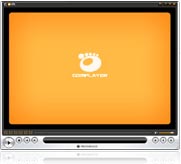
GOM Player1 ) GOM Player
This is the player I have been using for a long time now, never seen it ask for any additional codecs. The player looks really sleek, and has many useful features like bookmarking and speeding up the audio. This is a feature that is missing in the next player VLC. You can also increase the playback speed if you are in a hurry to finish watching the video.
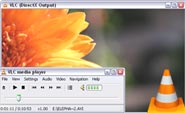
VLC Media Player

2) VLC Media Player
This is a very popular free media player, with three copies being downloaded every second ! Its been around for a long time and can play almost all types of videos you can throw at it. The main thing I dont like about this player is that its kinda slow, doesnt look good and it does not allow me to forward or rewind the video using the keyboard arrows. Definately a good media player overall.

miro player

3) Miro

Miro is a opensource media player that also allows you to watch free internet video channels and plays most video formats. It supports HD playback and come with an inbuilt 2500 channels of videos to watch. It also has the ability to save youtube and google videos. You can also download torrent files within this player.

xine player

4) Xine

Another free multimedia player that plays CD’s, DVD’s and files like AVI, MOV, WMV, and MP3 from your hard disk. Also plays multimedia streamed over the Internet. The software is available for Windows and Mac OS. Xine itself is a shared library with an easy to use, yet powerful API which is used by many application for smooth video playback and video processing purposes.


Related posts:

  1. GOMPlayer – Free media player
  2. Convert Video, Audio and Images to different formats for free
  3. Windows Media Player doesnt close
  4. Save Youtube Videos in HD format
  5. Wondershare Video Converter Ultimate Free


Discover and Share Take a moment to share this post on social networking sites !
The Author
Alfred is a Pilot & Tech blogger from Bangalore, India. He has worked with DSL providers like AOL, SBC, Verizon & Covad as a tech specialist. Currently he is pursuing a career in aviation.
View other post by


Did you enjoy this post? Why not leave a comment below and continue the conversation, or subscribe to my feed and get articles like this delivered automatically each day to your feed reader. If you don't have a feed reader, you can always have these articles delivered to your email inbox every day. Click here to sign up.

Trackbacks & Pingbacks

No trackbacks/pingbacks yet.

Comments

I like VLC because it has built-in decoders and it opens most broken files. But I’m using Media player classic. Love it because it’s simple and usable. Too bad you didn’t mention it.

Leave a comment

(required)

(required)


Line and paragraph breaks automatic, e-mail address never displayed, HTML allowed: <a href="" title=""> <abbr title=""> <acronym title=""> <b> <blockquote cite=""> <cite> <code> <del datetime=""> <em> <i> <q cite=""> <strike> <strong>