
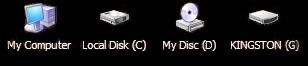
Desktop Media is a small software that can add a shortcut on your Desktop to any USB drives that you plug in.
The software detects hard drives, DVD drives and USB devices. For USB and DVD drives the shortcut will only appear if it is plugged in.
The software also allow you to ignore specific drives if required and can save the position of the icons on the desktop.
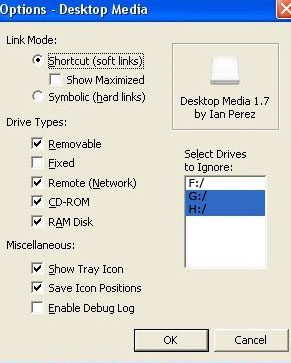
Features
- Automatically detects new (or existing) media and adds the icons to your desktop
- Has the ability to create soft links (shortcuts) or hard links (symbolic links)
- Supports removable, fixed, network, CD/DVD, and RAM disk drives
- Ability to ignore user-specified drive letters
- Has the option to save the positions of the icons
- Small memory footprint




I am back from my vacation, still in Singapore but have internet at home here. Let the updates begin !
welcome back Alfred :), waiting for your great post
thanks, will download it
i always wait your update. because your sharing is very important… i will try the software.. thanks..
.-= info techno´s last blog ..Protecting Your Laptop While Travelling =-.
great software, thanks !!!
Thanks for this this link, I transfer a lot of information to various computers using this type of process. I’m glad that I can download this to have a shortcut instead of doing this the old fashioned way.
This sounds like a good piece of software. Im not sure if it will work with a multi memory card reader. What would happen if you had more than 1 memory card plugged in?
I guess I will just download it and try it out.
.-= Lincolnshire Web Design´s last blog ..SEO In Lincolnshire =-.
Will this program also display non-storage devices? For example my USB mouse or keyboard?