
Deleted an important file or cleared your camera’s photos accidentally ? Then you need a software to recover those files. Most of the softwares that do this are paid ones, since they know how precious your data is. We had posted about RecoverMyFiles (paid) but now we have a free software that can do this for you.
 Recuva is a freeware that can help you recover deleted files from your hard drive or memory cards. Even if you emptied the Recycle bin, this software can help you to get back the files.
When a file is deleted, windows does not actually delete the whole file, it only deletes the tag which shows the OS that the file exists. The data will remain on your hard drive till it gets overwritten by new data. If you want to securely delete files, we have did a post on How to securely delete your data.
It is better to have Recuva installed on your system, since if you delete an important file and go online to search for it, temporary data will be written while browsing the internet, which could be written over the deleted data.
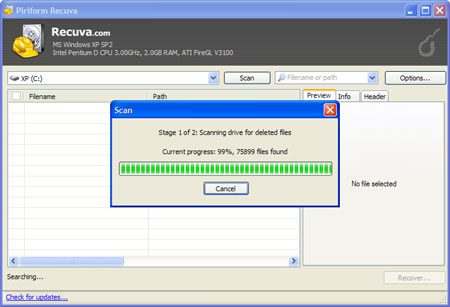
Using the software is pretty easy, just use the Wizard mode to start up the recovery process. Choose the type of files you wish to recover and the location of the hard drive you wish to search. Click start and watch recuva scan.
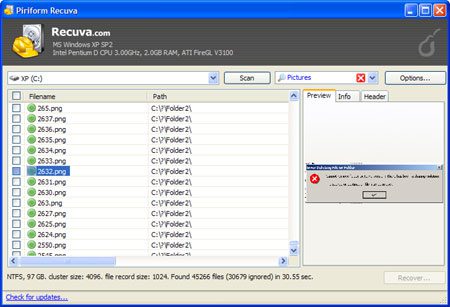
Recuva will then show you a list of files that can be recovered. Green and orange icons indicate that the file can be recovered.
If you are looking for a portable recovery software that you can carry on a USB, try Restoration.
Download Recuva




Recuva is a great application. I have used it twice and was not disappointed at all (for free software). I obviously was not able to recover every file because some where overwritten during the process of the recovery steps. However, I would definitely recommend Recuva to the “normal” end-user along with CCleaner.
Juscelino M. Acevedo’s last blog post..Best Twitter Desktop Applications
Thanks for the reply, I find restoration a must have on my USB drive.
Havent used CCleaner in a while, thanks for reminding me about it.
These software tools are capable of finding disk errors and possibly fix them. But, data recovery nyc should be noted that not all errors can be fixed in data recovery new york city and manhattan best by these tools, they are not miracle tools anyways Good Job!!!