
StarDock Fences is a program that helps you to organise your desktop by allowing you to draw labeled shaded areas on your desktop. These areas act as movable and resizable containers for your desktop items. The program comes with inbuilt layout for new users who don’t want to waste time configuring the program.
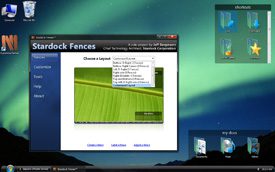 Fences also has an option to hide icons by double clicking on the desktop. This should give a much better view of you wallpaper and make your workspace look neat. To bring back the icons just double click again.
Icons can be added to the floating containers using drag and drop. If there are too many icons in a container, a scroll bar will appear in order to accommodate the new icons.
Fences supports Windows 7, Vista and XP and uses less memory compared to other apps we have tried in the past. This program is still in beta so report any bugs if you find them.
Download StarDock Fences




