
 Google’s first attempt at social networking was through Orkut. Though Orkut did pretty well in a few countries like it, over time it lost a lot of market share to Facebook. The decreasing popularity of Orkut is headed downhill with no hope of resurrection.
Then came Google Wave which was over hyped with every other site, posting tips for it. in a few weeks all the buzz died out and Wave died out from the news.
Google Buzz tries a different approach, most Internet users have a Gmail account. In fact Gmail is one of the best free email account you could possibly have with tons of space, pop 3 support, mail management, etc. What if they turned Gmail into a social network. People would use it because they have to check mails !
Google Buzz allows you to share updates, post link to interesting sites, update your photos among other things. To use Google Buzz just log in to your Gmail account and you should be able to see the Buzz tab on the site navigation menu.
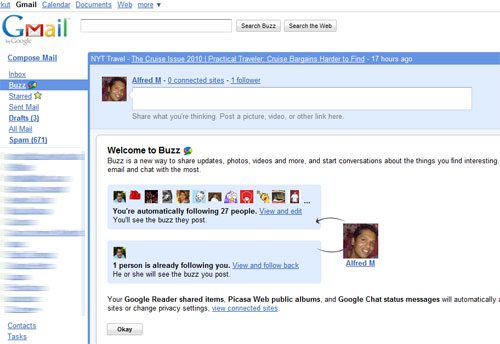
You can follow people you find interesting and will be notified when they post something interesting. Infact to get you started Google automatically auto follows a few people for you !
Buzz also allows you to import your updates from Twitter, Picasa, Flicker and many other online services. Though as of now I have seen any way to link Facebook with Buzz.
Buzz still has its downsides. If you comment on a very popular Buzz, your Gmail inbox is going to get flooded with notifications about the other comments on that Buzz. Learn how to use filters to block Buzz notifications.
Try Google Buzz
How to Turn off Google Buzz
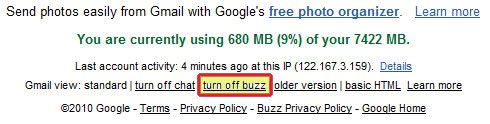
If you don’t like Buzz you can always turn it off by clicking the “turn offf buzz link” at the bottom of the Gmail page.
Let us know what you think of Google Buzz. You can follow me on Google Buzz if you like.




