
 I have been experimenting with Vista and there are a few simple tricks and keyboard shortcuts that I thought I would share. So here we go…
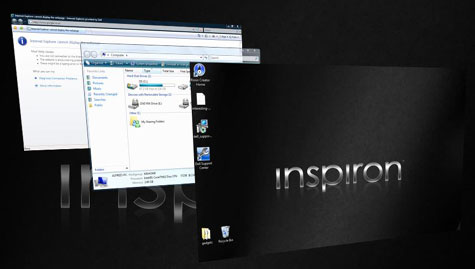
Most of us use Alt+Tab a lot to switch between programs, Vista brings a new feature called Flip-3D to switch between programs easily.
Press Ctrl + Winlogo + Tab to cycle between programs using Flip-3D. Use the arrow keys to switch between the programs.
You can also use the Winlogo + Tab key to switch, keep the Winlogo button pressed and tap the Tab key to choose the program.
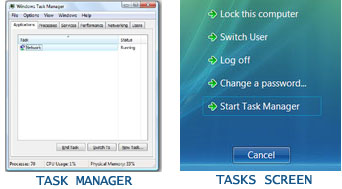
Pressing Ctrl+Alt+Del in Vista, brings up the Tasks Screen, to directly open the Task Manager press Ctrl+Shift+Esc
In Vista you can quickly launch upto 10 programs by pressing the winlogo key + 1-0.Any shortcut in the quick launch bar can be accessed in this way. So just add a shortcut for the desired program in the quick launch bar and press the corresponding winlogo key + (1-0) key.

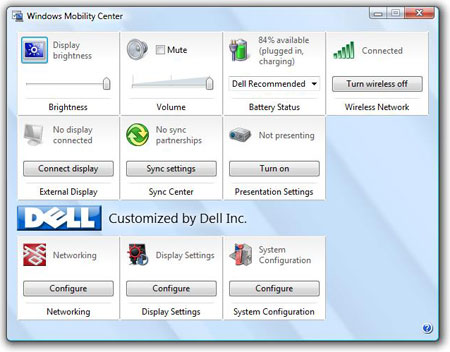
For laptop users, press Winlogo + X to enter the Mobility Screen
For those who use gadgets a lot, Winlogo + Spacebar brings all gadgets to the front and selects the Windows Sidebar. You can also press winlogo + G to cycle through them.
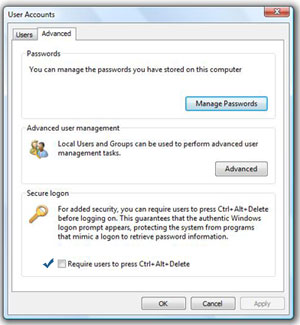
Enable / Disable Secure Logon ( You need to press Ctrl+Alt+Del to login)It is possible for spyware and viruses to intercept your username and password when you enter it. Secure logon provides an additional layer of security, ensuring the safety of the login information.
Press the Winlogo key, type netplwiz and press Enter. Click on the Advanced tab, check the box “Require users to press Ctrl+Alt+Del”
If you have other usefull tip or tricks do share it in the comments :D




i like the first one a lot it totally looks cool.
Thanks for all your valuable hard work on this website. My niece really loves getting into investigation and it’s easy to understand why. I know all relating to the lively ways you provide functional solutions through the blog and recommend contribution from other people on the article so our favorite child is always discovering a lot. Enjoy the remaining portion of the year. You have been doing a wonderful job.