
beFunky.com – Funky ways to express yourself

Creating a custom avatar for your facebook, orkut or forums is a snitch with Befunky. They have two tools, Uvatar and Cartoonizer which allow you to turn your picture into an avatar, cartoon, sketch or even a comic.

The Uvatar allows you to choose from different sets of faces, hairstyles, clothes and accesories to create an avatar. They also have a custom Uvatar option where the BeFunky team will draw a custom one for 5$.
befunky

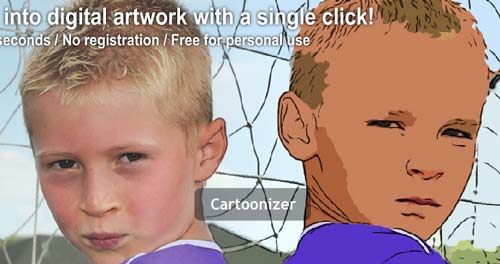
The Cartoonizer allows you to upload your picture and turn it into a black and white sketch, a digital painting or even a comic. There is also a wrap feature which lets you warp parts of your picture. It also allows you to turn your videos into cartoon.

I really liked the sketch feature, most of the photos I tried came out impressively. Give it a try, if you arent comfortable messing with Photoshop.


Related posts:

  1. How to find lost email password in Outlook Express
  2. MagMyPic – Make fake magazine covers
  3. FlauntR.com – One click photo effects


The Author
Alfred is a Pilot & Tech blogger from Bangalore, India. He has worked with DSL providers like AOL, SBC, Verizon & Covad as a tech specialist. Currently he is pursuing a career in aviation.
View other post by Alfred

Discover and Share Take a moment to share this post on social networking sites !

Did you enjoy this post? Why not leave a comment below and continue the conversation, or subscribe to my feed and get articles like this delivered automatically each day to your feed reader. If you don't have a feed reader, you can always have these articles delivered to your email inbox every day. Click here to sign up.

Trackbacks & Pingbacks

No trackbacks/pingbacks yet.

Comments

Nice find. Gotta try this someday.

wow cool find…i am definitely gonna try this one buddy…

am gona try it out then

am gonna give it a trial

a trial will convince me

Cool stuff Never heard of this before! Will spice up my Facebook page. Thanks

Leave a comment

(required)

(required)


Line and paragraph breaks automatic, e-mail address never displayed, HTML allowed: <a href="" title=""> <abbr title=""> <acronym title=""> <b> <blockquote cite=""> <cite> <code> <del datetime=""> <em> <i> <q cite=""> <strike> <strong>