
DocSyncer – Synchronize the docs on your comp with Google Docs

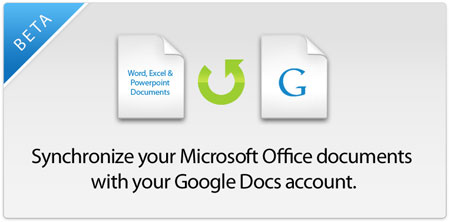
DocSyncer is a web-service that allows you to synchronize the documents on your computer with those on our Google Docs account.
docsyncer_ssc2.jpg

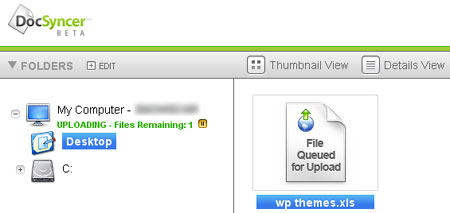
The signup is pretty simple, just enter your email and the desired password. Once you grant access to Google Docs, it downloads a 1.7 MB program to synchronize the documents.
docsyncer_ssc.jpg

Documents on the desktop and my document folders are then synced with Google Docs.

DoSyncer used to be beta but the public version has been released today. Try DocSyncer here.

After writing most of this post, I realised that this service was already reviewed by my friend Keith at his blog. Read his review if you are interested in this utility.


Related posts:

  1. Use Google Docs to convert a document to PDF format
  2. File Conversion – 5 tools to convert Images, Videos, Music and Docs
  3. CutePDF Writer – Print from any application into a PDF file
  4. Google Reader Offline mode – Read feeds while you are offline
  5. Google to stop Adsense Refferals


The Author
Alfred is a Pilot & Tech blogger from Bangalore, India. He has worked with DSL providers like AOL, SBC, Verizon & Covad as a tech specialist. Currently he is pursuing a career in aviation.
View other post by Alfred

Discover and Share Take a moment to share this post on social networking sites !

Did you enjoy this post? Why not leave a comment below and continue the conversation, or subscribe to my feed and get articles like this delivered automatically each day to your feed reader. If you don't have a feed reader, you can always have these articles delivered to your email inbox every day. Click here to sign up.

Trackbacks & Pingbacks

No trackbacks/pingbacks yet.

Comments

Thanks for the mention Alfred. I do use DocSyncer regularly now to sync up documents and think its quite an awesome tool.

My fault, havent read my RSS feeds, came to know cause of the SU comment :grin:

Leave a comment

(required)

(required)


Line and paragraph breaks automatic, e-mail address never displayed, HTML allowed: <a href="" title=""> <abbr title=""> <acronym title=""> <b> <blockquote cite=""> <cite> <code> <del datetime=""> <em> <i> <q cite=""> <strike> <strong>