
We received an email from one of our readers who wanted to know how to download to torrents. After explaining the process to her, we were told that her office wouldn’t allow the installation of any programs. Here is an awesome BitTorrent applet that lets you download torrent files directly in your browser.
BitLet.org is an experimental Java applet that allows users to download torrents without the need for any additional software. Users just have to copy the metafile URL of the torrent and paste it into the download box on the main page (explainined below). There is also a tool for publishers that creates a code which which users can click to directly download using the BitLet service.
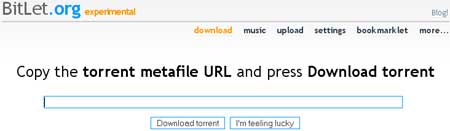
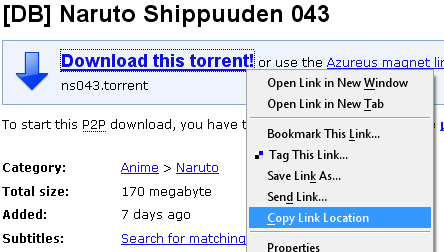
How to get the metafile URL of the torrent and download from BitLet
1. Open your favorite search engine (like mininova.org)
2. Find the file you want to download.
3. Right click the download torrent link and copy the link location
4. Paste the link location in BitLet.org and start downloading the torrent.
BitLet also has a new applet called westream, that allows you to stream music from torrents. This service can be accessed from http://www.bitlet.org/music




good job..that’s what i need. thanks..
This sounds like an excellent plugin, is this a firefox only addon?
@Torrent Seedbox, This is not an addon. It creates and exe file that you download. This exe will download the torrent for you !
How safe is the .exe created by the website itself and are the download speeds comparable to that of Utorrent or other regular torrent downloaders?
Its safe, when I need people to download from torrents. I just download the exe file and mail it to them. Never had any issues with it.
Download speeds have been pretty good usually capping my ISP limits.
Truly a well written post, but I’d love to get further details about the thing. Please, think about in in the next note which I’d appreciate to see. Have that under consideration, would you?
This truly is an interesting article! Could you please write anything else about it? I found there a lot new and be going to check your website again. All the best!