
 You can search for almost any song on Youtube and listen to them. What if you wanted to upload a mp3 song to Youtube ? You would have to make a video with the song before you can upload it. As Youtube does not support uploading sound files. We will show you an easy way to get your audio files uploaded.
How to upload MP3 files to Youtube
MP32Tube is a site that allows you to share your audio files on Youtube. It allows you to upload the MP3 file along with a background image. It then creates a video and uploads it to Youtube saving you a lot of time and effort.
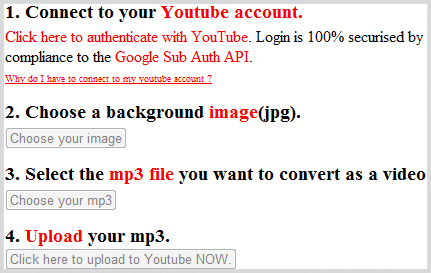
You can upload either to MP32Tube account or to your Youtube account. The latter will require you to login to your Youtube account (via Google API).




http://www.mp32flv.com does the same thing but without leaving a watermark on your video.