
Pixlr – Online image editor which looks just like Photoshop

Yesterday, I got an email from Flickr that you can get 30 free photo prints by using the Coupon “FREEPRINTS”. This is valid for only 10X15 size images and you need to pay for postage and handling. Tried searching for other similar apps and ended up finding Pixlr.

The first time I opened the Pixlr I was wondering if the window was photoshop or firefor. Pixlr is an online image editing app that looks very similar to photoshop. This made me feel right at home as I started trying out some basic editing on an image.
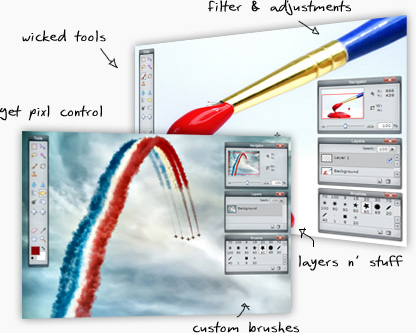
pixlrintro

Pixlr is a flash app so you need to have Adobe Flash installed first. The editing features are pretty basic but it does a good job if you just need to edit an image for posting on your blog or a website.

[ Try Pixlr here ]


Related posts:

  1. Free Online Photo Editor – Aviary
  2. GIMP – The opensource alternative to Photoshop
  3. Free FLV Editor – Edit and save parts from FLV videos
  4. Spresent.com – create Flash presentations online
  5. Microsoft Image Composite Editor – Stitch Multiple Images


Discover and Share Take a moment to share this post on social networking sites !
The Author
Alfred is a Pilot & Tech blogger from Bangalore, India. He has worked with DSL providers like AOL, SBC, Verizon & Covad as a tech specialist. Currently he is pursuing a career in aviation.
View other post by Alfred


Did you enjoy this post? Why not leave a comment below and continue the conversation, or subscribe to my feed and get articles like this delivered automatically each day to your feed reader. If you don't have a feed reader, you can always have these articles delivered to your email inbox every day. Click here to sign up.

Trackbacks & Pingbacks

No trackbacks/pingbacks yet.

Comments

photoshope illustrator

I like online job

Leave a comment

(required)

(required)


Line and paragraph breaks automatic, e-mail address never displayed, HTML allowed: <a href="" title=""> <abbr title=""> <acronym title=""> <b> <blockquote cite=""> <cite> <code> <del datetime=""> <em> <i> <q cite=""> <strike> <strong>
