
 There is so much info available on the internet, you never know when you might find an interesting article to read on the internet. Links to interesting posts are being shared on Facebook, Twitter, RSS feeds, social bookmarking sites and many other sources. Now the question is do you have the time to read those posts at the time you find them ?
One way most people keep a track of these posts is by bookmarking these pages in their browsers to check later. These users can use a Xmarks bookmark sync to have their bookmarks in any browser you use. What if you want to read these posts offline on an iPod or iPhone while travelling to work ?
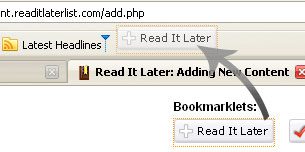
Read It Later is a free web service that allows you to mark pages on the Internet that you would like to read later. Using this service is really easy. Just drag one of the bookmarklets to the bookmarks bar on your browser. Now just click on the bookmarklet when you find something interesting.
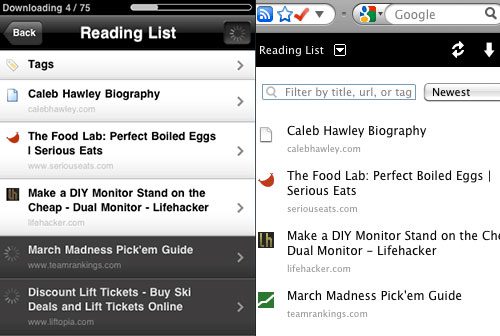 ReadItLater will keep a list of all the pages that you marked so that you can read it as needed. These pages can also be tagged to make it simpler.
They also allow you to download and sync these pages to your iPod or iPhone for reading offline.
Try ReadItLater




It looks simple enough to use. It would be convenient to have that read it later tab handy exactly when you would want to read it.
@ Michelle
You only need the readitlater tab handy to mark it.
Posts can be read later from any computer or phone by going to the readitlater
Thanks for your valuable comment Michelle
wow,
It is nice , every time we use to save pages to read it later. This will reduce the effort to read it later